


Table of Contents
Compare GPN tools like ExitLag, GearUP Booster, and WTFast using realistic network route analysis, live browser RTT testing, ISP path optimization detection, and physics-based latency estimation for competitive online gaming.
Gaming Network Review Hub
AI Gaming Ping Analyzer
Compare GPN tools using realistic fiber-optic latency limits, live browser RTT, ISP routing overhead, coupons, reviews, and an AI route verdict.
AI Network Verdict
The Comparative Matrix Table
What Is the AI Gaming Ping Analyzer?
The AI Gaming Ping Analyzer is a free latency testing tool designed to estimate how much delay you may experience while playing on international multiplayer servers. It compares your default ISP connection against popular gaming private network services such as ExitLag, GearUP Booster, and WTFast using physics-based route limits, regional server calibration, live RTT measurements, and AI-assisted route evaluation.
The primary goal is simple: help gamers understand whether a GPN service can realistically improve connection quality, reduce routing inefficiency, stabilize online sessions, and provide a smoother experience in competitive FPS games, MMOs, battle royale titles, and online multiplayer environments.
Why Use a Gaming Ping Analyzer?
Many players only pay attention to the in-game ping counter, but that number alone does not explain why a connection feels unstable, delayed, or inconsistent. This tool breaks down the difference between the lowest possible network latency, your estimated ISP route, and the optimized performance a gaming network optimizer may provide.
If you play on servers located far from your region, your ISP may route traffic through inefficient pathways. A gaming routing optimizer can sometimes improve the connection path by reducing unnecessary network overhead, potentially resulting in lower response times, improved stability, and fewer lag spikes.
What This Tool Is Useful For
This gaming latency analyzer is useful for comparing connection routes before choosing a VPN for gaming or a specialized GPN platform. It helps players estimate whether ExitLag, GearUP Booster, or WTFast is likely to deliver the best improvement for a specific title, region, and destination server.
It is especially valuable for users connecting to international servers, such as:
- South America to USA East
- USA to Europe
- Europe to Asia
- Brazil to North American or European servers
Key Network Terms Explained
Ping
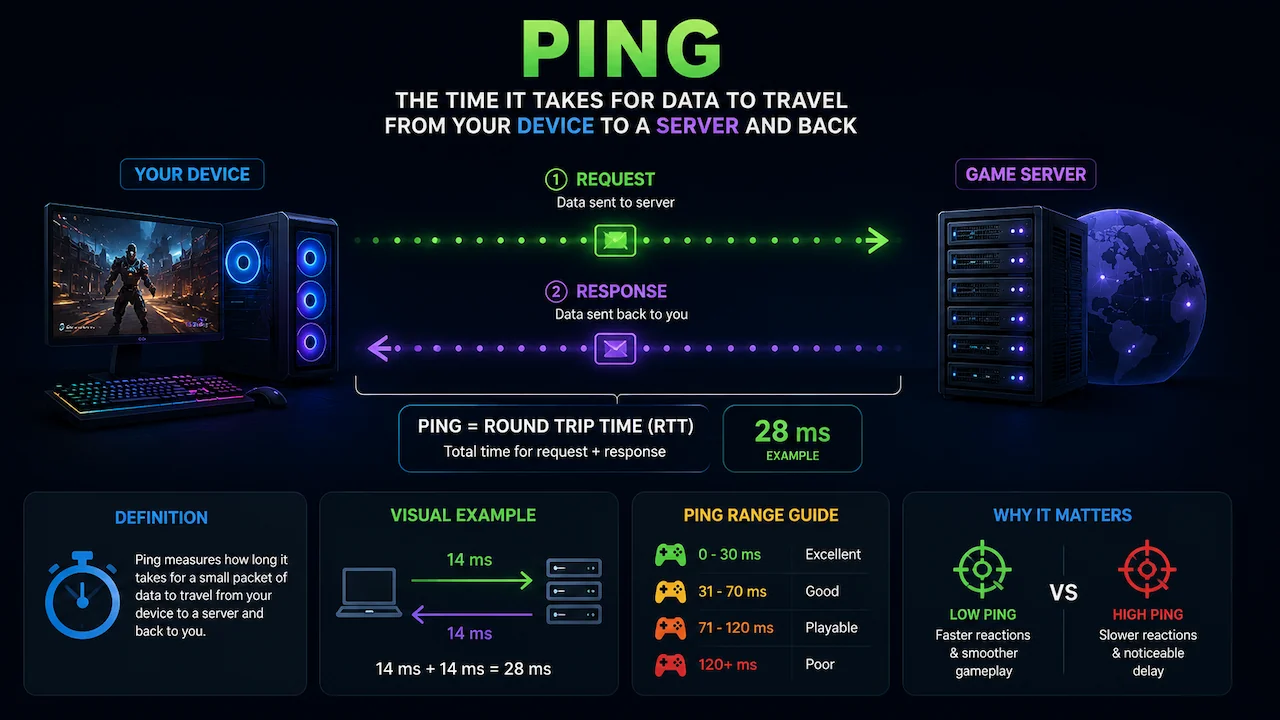
Ping measures how long it takes for data to travel from your device to a server and back. It is measured in milliseconds (ms). Lower ping usually means faster reactions in online multiplayer games, especially in tactical shooters and competitive esports titles.
Latency
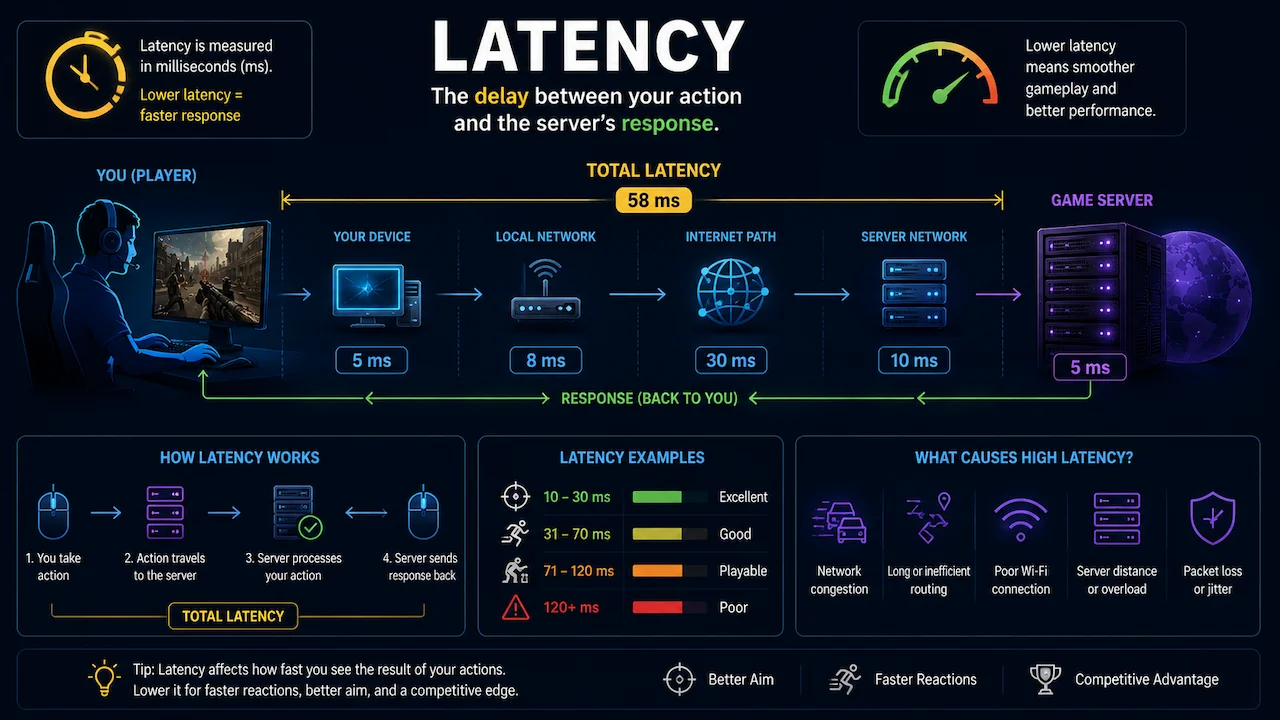
Latency refers to the delay between your action and the server response. While ping is one measurement of latency, real gaming performance can also be influenced by route quality, packet instability, server processing, and traffic congestion.
Jitter
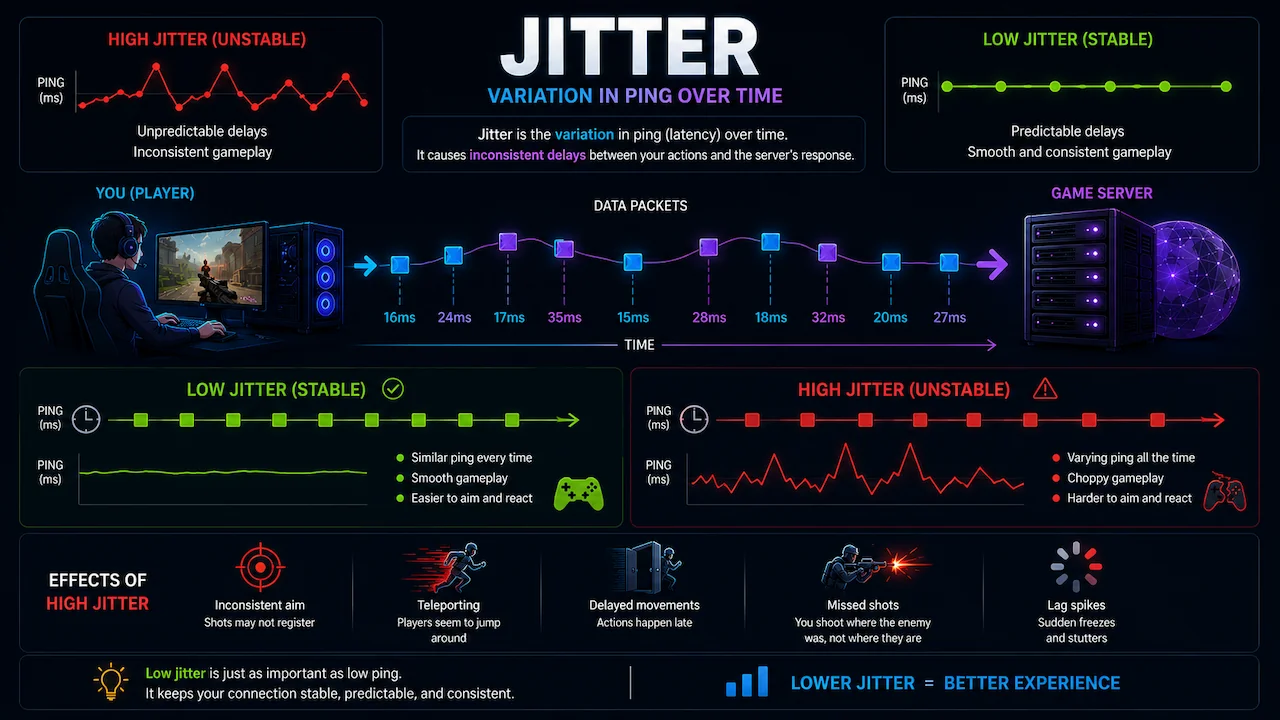
Jitter is the variation in latency over time. A connection with 40ms ping but constant spikes to 100ms may feel worse than a stable 55ms route. Low jitter is critical for smooth movement, hit registration accuracy, and consistent gameplay responsiveness.
Packet Loss
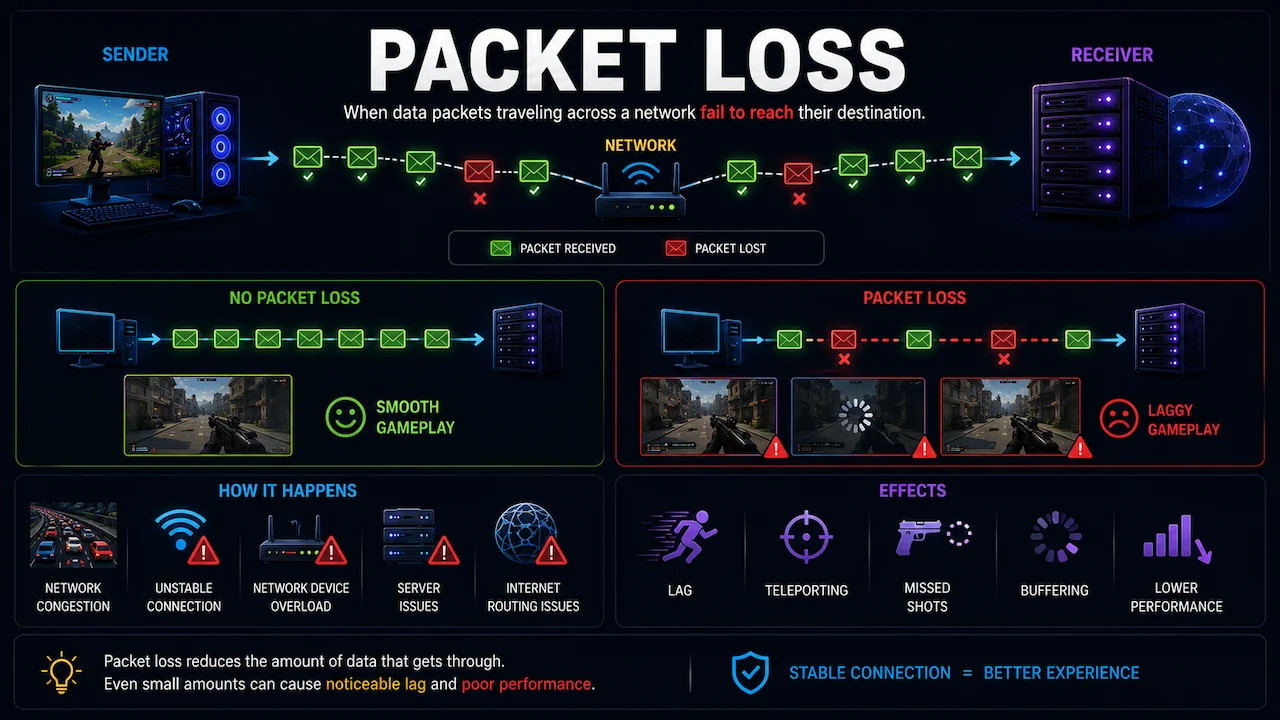
Packet loss occurs when some data packets fail to reach the destination server or return to your device. Even small amounts of packet loss may cause rubberbanding, delayed actions, player teleportation, or random disconnects.
Routing Overhead
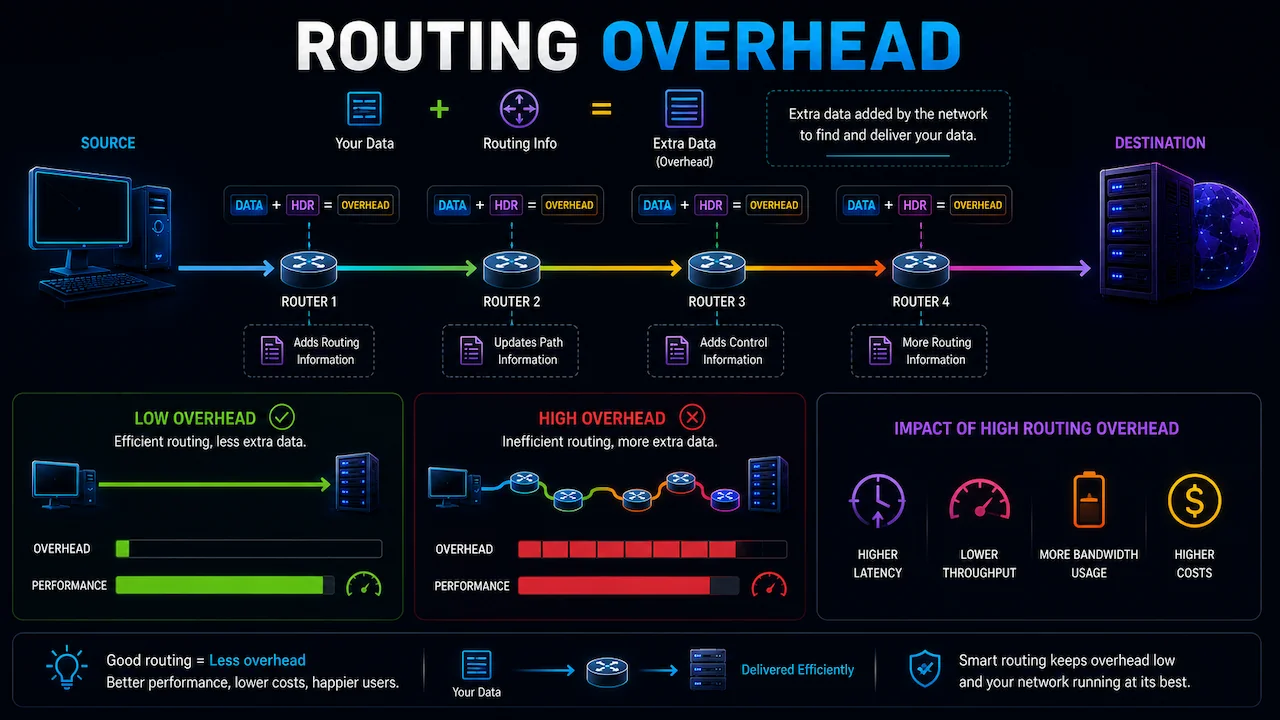
Routing overhead is the extra delay added when your ISP sends traffic through indirect or inefficient pathways. A gaming private network attempts to reduce this overhead by selecting a more optimized route between the player and the game server.
ISP Ping
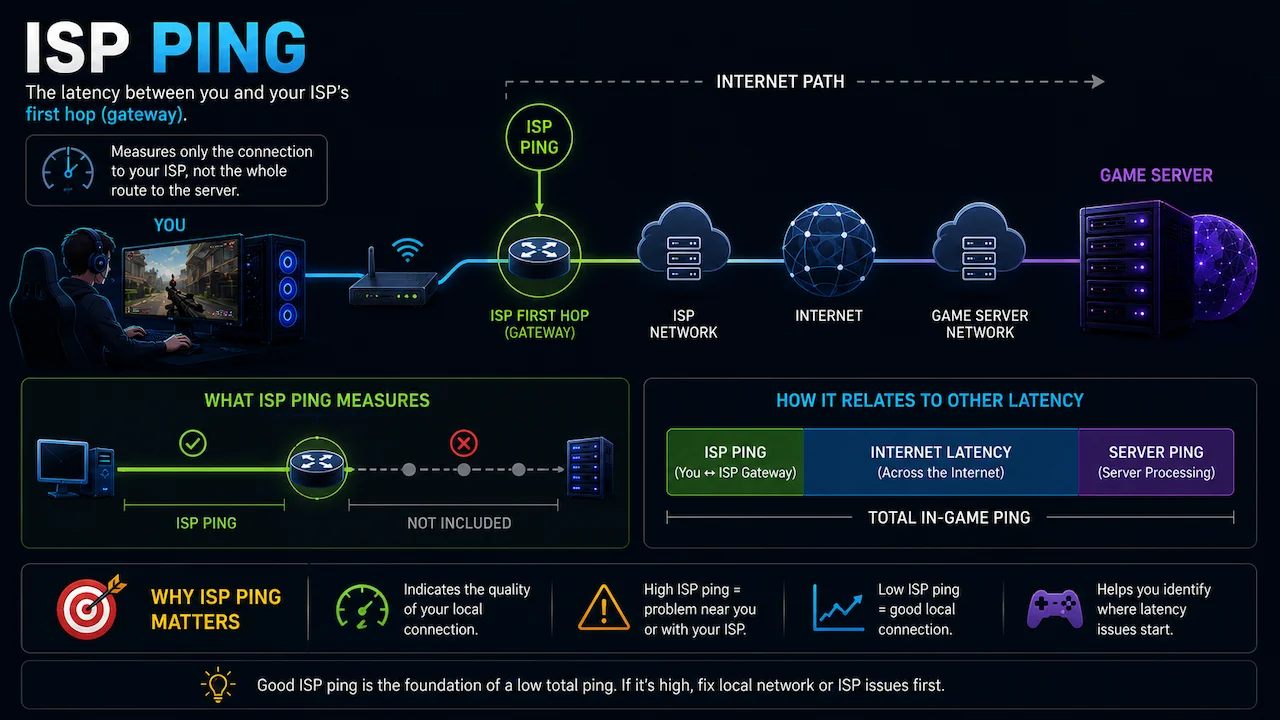
ISP ping is the estimated delay generated through your normal internet provider route. It is usually higher than the physical floor because internet traffic passes through routers, exchanges, peering hubs, and inefficient network hops.
Browser RTT
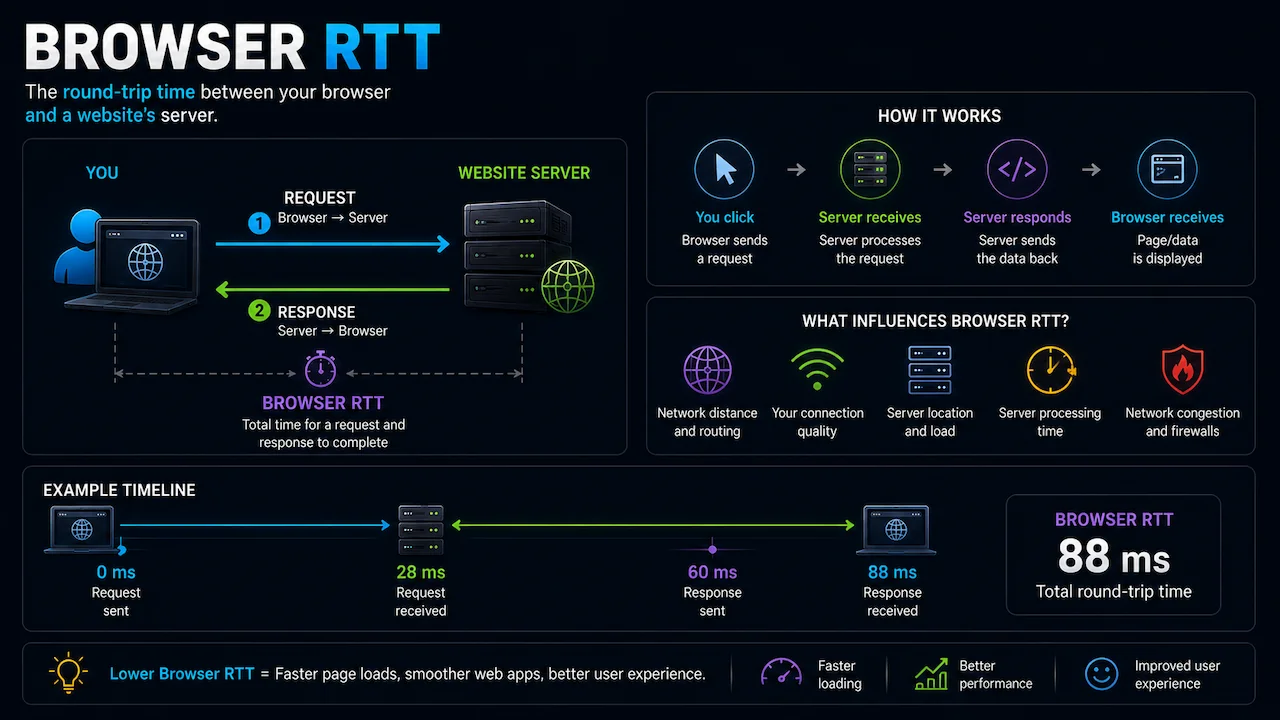
Browser RTT (Round Trip Time) is a live measurement performed between your browser and a nearby test endpoint. While it is not identical to a real UDP game ping, it still provides a valuable real-time indicator of connection quality.
GPN
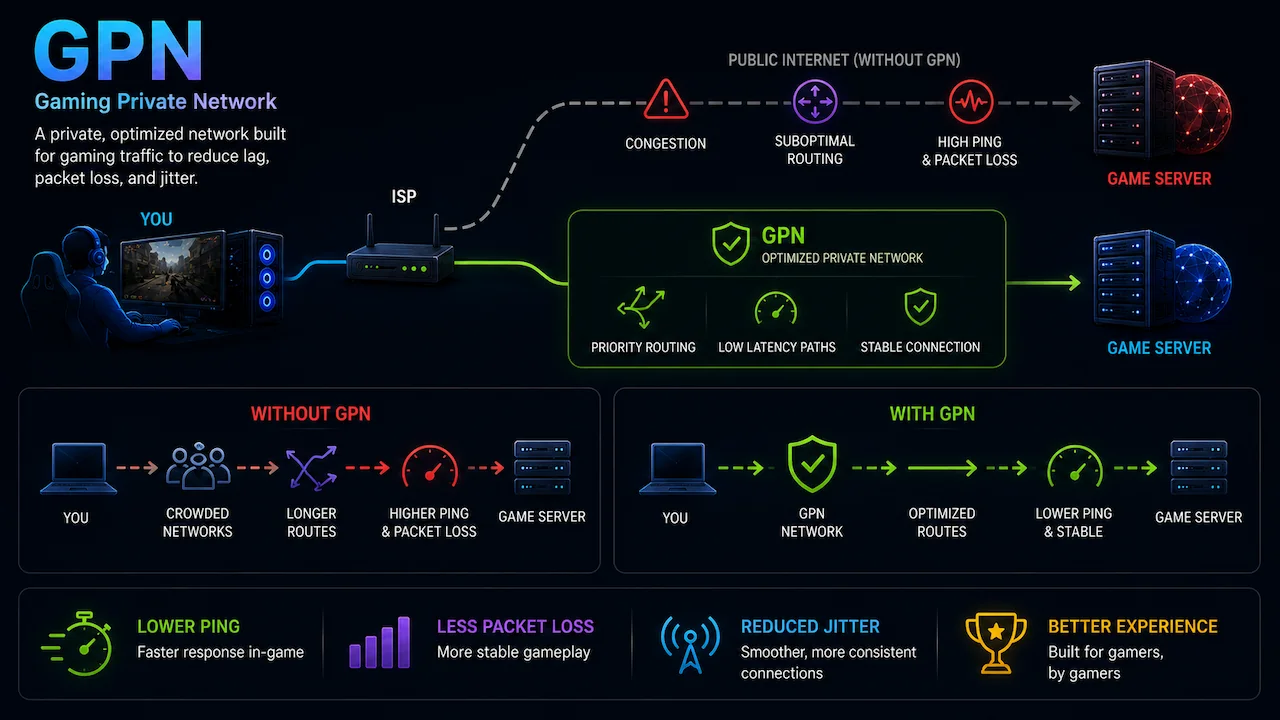
A GPN (Gaming Private Network) is a routing optimization service specifically designed for online games. Unlike traditional VPN services, a GPN focuses on improving route stability, reducing connection delay, and optimizing the traffic path between players and gaming servers.
Routing Efficiency
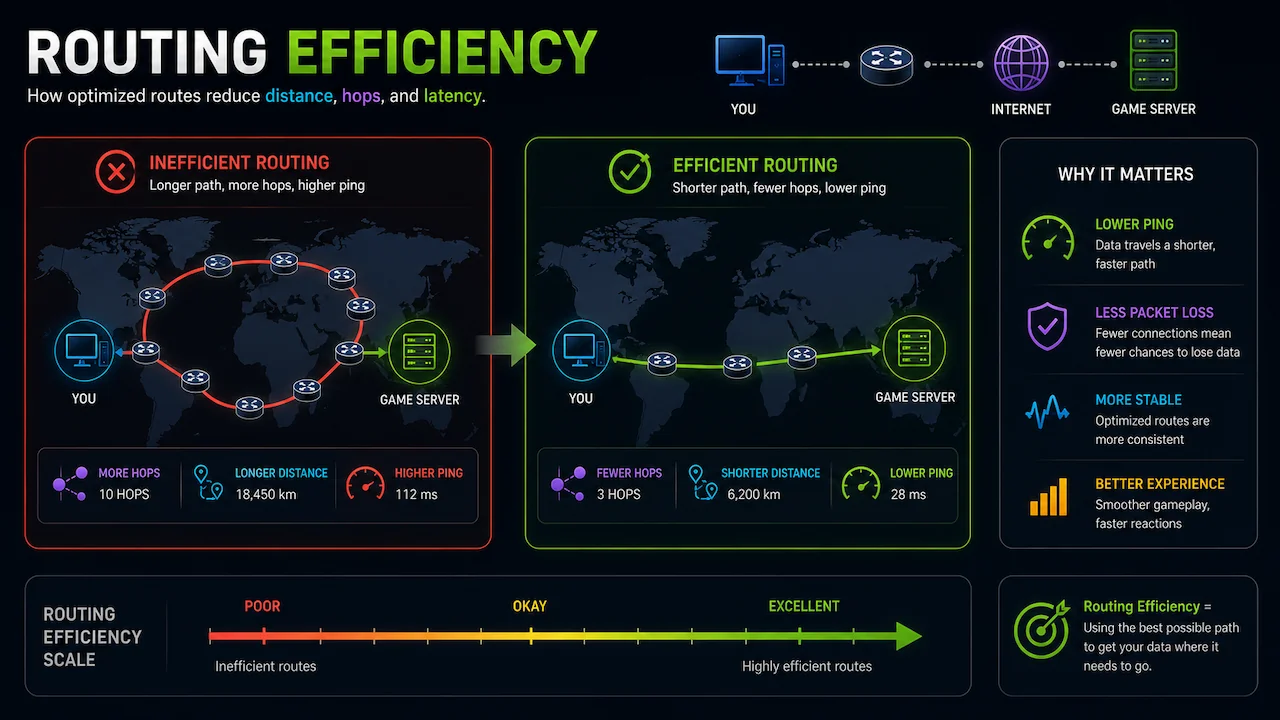
Routing efficiency measures how much unnecessary ISP overhead a service can remove. For example, if a route has a physical minimum of 100ms and your ISP delivers 160ms latency, the extra 60ms represents inefficient routing that a GPN may partially reduce.
How To Read the Results
The comparison table displays the estimated latency for each tool, the difference versus standard ISP routing, custom advantages and disadvantages, active promotional codes, and links to detailed reviews or official websites.
The AI Network Verdict then evaluates the generated metrics and explains which service is likely to be the best choice for your selected game and region. For competitive FPS games, lower raw latency is usually the most important factor. For MMOs or casual titles, route stability and value may matter more when the latency difference is minimal.
Can ExitLag, GearUP Booster, or WTFast Really Reduce Ping?
Yes, but only when your default ISP route contains enough inefficient overhead to optimize. If your existing route is already close to the physical latency limit, no software can create massive improvements. However, for international connections with poor peering or unstable pathways, a gaming route optimizer may noticeably reduce latency and improve connection consistency.
Important Accuracy Note
This tool combines physics-based latency calculations, calibrated regional routing data, live browser RTT analysis, and AI-assisted evaluation models. While it is designed to provide realistic and transparent estimates, actual in-game latency may still vary depending on:
- Internet congestion
- ISP quality
- Wi-Fi performance
- Server load
- Game netcode
- Regional peering conditions
- Time of day