


Table of Contents
Ancient Cities are one of the rarest and most dangerous structures in Minecraft. Added in Minecraft 1.19 with The Wild Update, these underground ruins are hidden inside the Deep Dark biome and contain some of the best exploration rewards in the game.
The biggest challenge is that Ancient Cities cannot be found by simply exploring the surface. Unlike villages or temples, they generate hundreds of blocks underground, making players rely on specific strategies to locate them.
In this guide, you will learn exactly how to find Ancient City in Minecraft, including the best locations to search, commands, survival methods, preparation tips, and mistakes that can waste hours of exploration.
Where Does an Ancient City Spawn in Minecraft?
Ancient Cities only generate inside the Deep Dark biome, one of the deepest underground biomes in Minecraft.
The structure usually appears around Y level -51, making it one of the lowest points players can explore before reaching the bottom layers of the world.
The best places to search are underneath large mountain areas. Deep Dark biomes commonly generate below tall terrain, especially areas with high elevation such as snowy peaks and rocky mountains.
If you are exploring randomly, walking through flat plains or forests will rarely lead you to an Ancient City. The most efficient approach is to find a large mountain first and then begin your search underground.
How to Find Ancient City in Minecraft Using Commands
The fastest way to locate an Ancient City is by using Minecraft commands.
Players with cheats enabled can open the chat and enter:
/locate structure minecraft:ancient_cityMinecraft will display the coordinates of the nearest Ancient City. After receiving the location, you can travel there manually or teleport directly using:
/tp @s X Y ZReplace X Y Z with the coordinates provided by the game.
This method is the easiest option for Creative Mode players, testing worlds, or players who simply want to explore the structure quickly.
However, keep in mind that commands require cheats or administrator permissions on multiplayer servers.
How to Find Ancient City Without Commands
For survival players who want to find an Ancient City naturally, the process requires patience and preparation.
The first step is locating a mountain biome. Tall snowy mountains are usually the best candidates because Deep Dark biomes often generate below these regions.
After finding a suitable mountain, carefully dig downward until you reach around Y level -51. Avoid digging straight down because you can fall into caves, lava pools, or unexpected drops.
Once underground, start exploring horizontally while looking for signs of the Deep Dark biome.
The main indicator is Sculk.
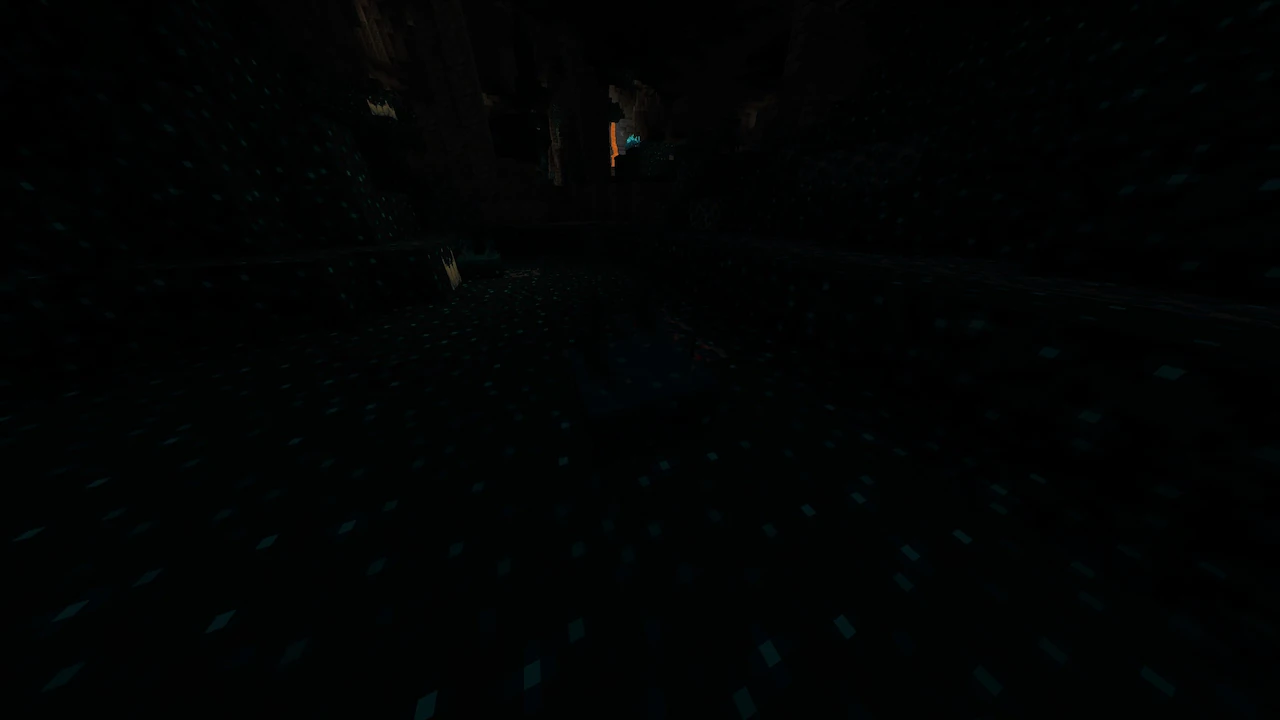
When you start finding blocks such as Sculk, Sculk Sensors, and Sculk Shriekers, you are likely close to an Ancient City.
Using Sculk to Locate an Ancient City
Sculk blocks are the best natural clue when searching for Ancient Cities.
The Deep Dark biome contains several unique blocks that do not appear in normal caves. Finding a large amount of Sculk means you have reached the correct biome.
At this point, slow down your movement and explore carefully. Ancient Cities are large structures, so once you enter the Deep Dark biome, there is a good chance that a city exists nearby.
Sculk Sensors can also help because they react to vibrations and produce sounds when activated.
If you hear repeated clicking sounds underground, investigate the area carefully.
How to Find Your Minecraft World Seed (Java and Bedrock)
To use an Ancient City Finder, you first need your Minecraft world seed. The method to find it depends on whether you are playing Java Edition or Bedrock Edition.
[IMAGE PLACEHOLDER: Java Edition seed command and Bedrock Edition world settings side by side]
Java Edition
In Minecraft Java Edition, you can find your world seed by opening the chat and using the command:
/seedThe game will display the seed directly in the chat.
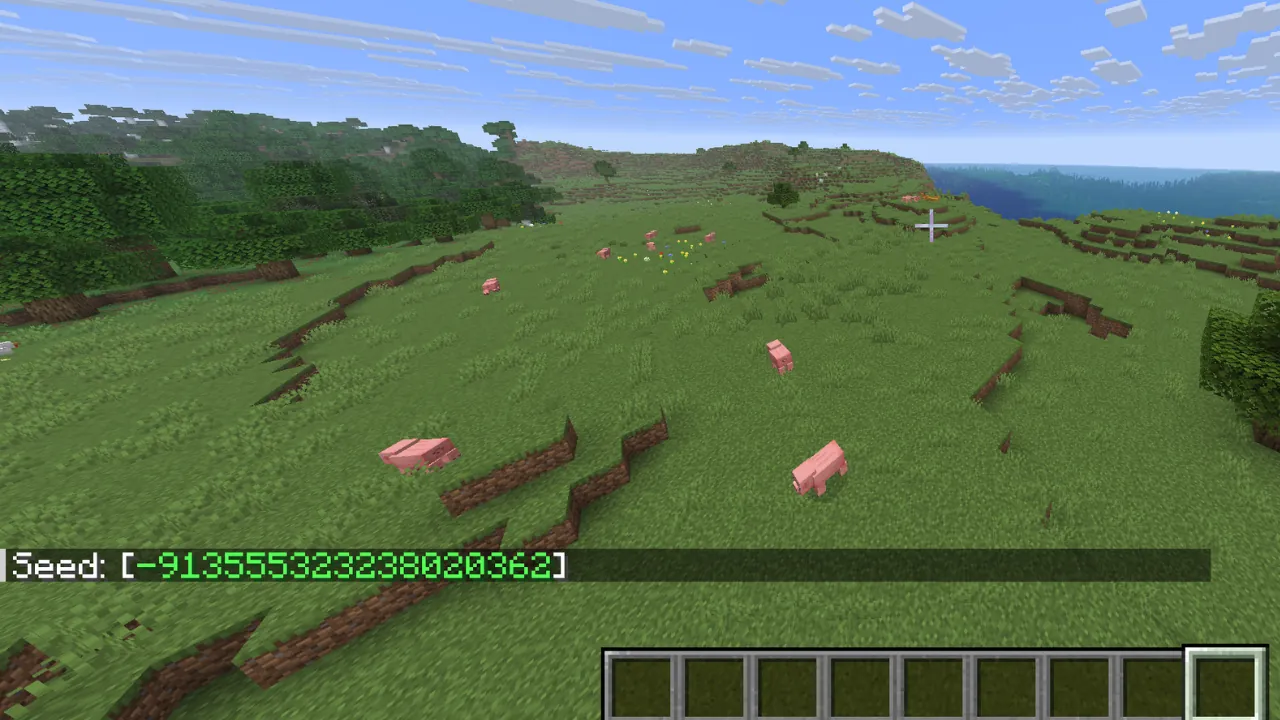
Keep in mind that this command requires permission. In single-player worlds, cheats must be enabled, while multiplayer servers require the necessary permissions from the server owner.
Bedrock Edition
Minecraft Bedrock Edition uses a different method. Instead of using the /seed command, you can find your world seed directly from the world settings menu.
From the main menu, select your world, click the edit button, and look for the advanced setting. There you will see Seed section in the game settings.
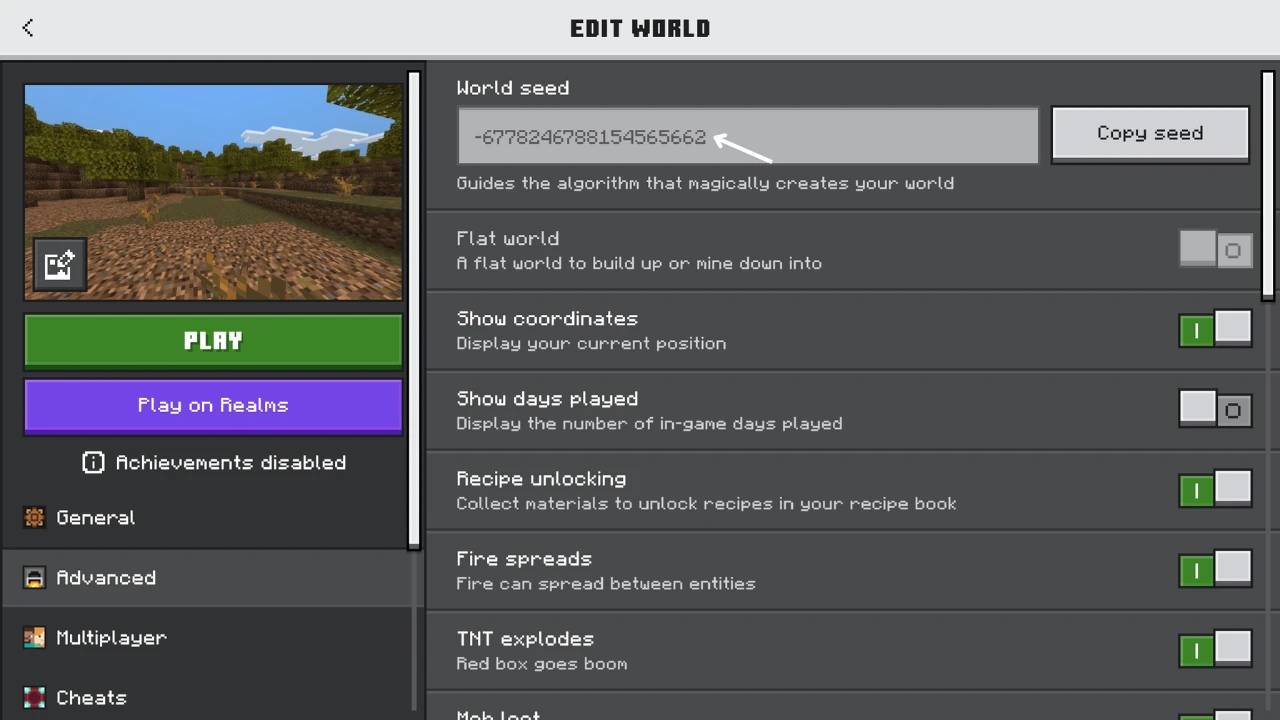
The seed will be displayed there and can be copied into an Ancient City Finder tool.
Using a Seed Finder to Locate Ancient Cities
Once you have your world seed, you can use an online Minecraft structure finder to locate Ancient Cities without enabling cheats.
Tools like ChunkBase allow players to enter their seed, Minecraft version, and edition to generate a map showing possible Ancient City locations.
This method is especially useful for survival players because it does not modify the world and helps you plan your exploration before traveling thousands of blocks.
Always verify that the selected Minecraft version and edition match your world. Using the wrong settings can result in incorrect coordinates.
Common Mistakes When Searching for Ancient Cities
Many players spend hours searching because they use the wrong strategy.
One common mistake is searching at the wrong depth. Ancient Cities are not found near normal caves close to the surface. They generate much deeper, around Y -51.
Another mistake is ignoring mountains. Since Deep Dark biomes commonly appear below high terrain, exploring random areas dramatically reduces your chances.
Players also often forget to check their Minecraft version. Ancient Cities only exist in versions that support The Wild Update.
Finally, using seed finder tools with the wrong edition or version can show incorrect coordinates.
FAQ (Frequently Asked Questions)
What is the easiest way to find an Ancient City in Minecraft?
The easiest method is using the /locate command with cheats enabled. For survival players, using a seed finder is the fastest option without enabling commands.
What coordinates are Ancient Cities found at?
Ancient Cities usually generate around Y level -51.
Can Ancient Cities spawn anywhere?
No. They only generate inside Deep Dark biomes, which usually appear below large mountain areas.
How do I find Ancient City without cheats?
Search below tall mountains, dig down to around Y -51, and look for Sculk blocks. Finding Sculk is the main indication that you are close.
Does every Minecraft world have an Ancient City?
No. Ancient Cities depend on world generation. Some worlds may have fewer cities or require traveling thousands of blocks.
Can I kill the Warden inside an Ancient City?
Technically yes, but it is not recommended. The Warden has extremely high health and damage, making avoidance the intended strategy.