

Table of Contents
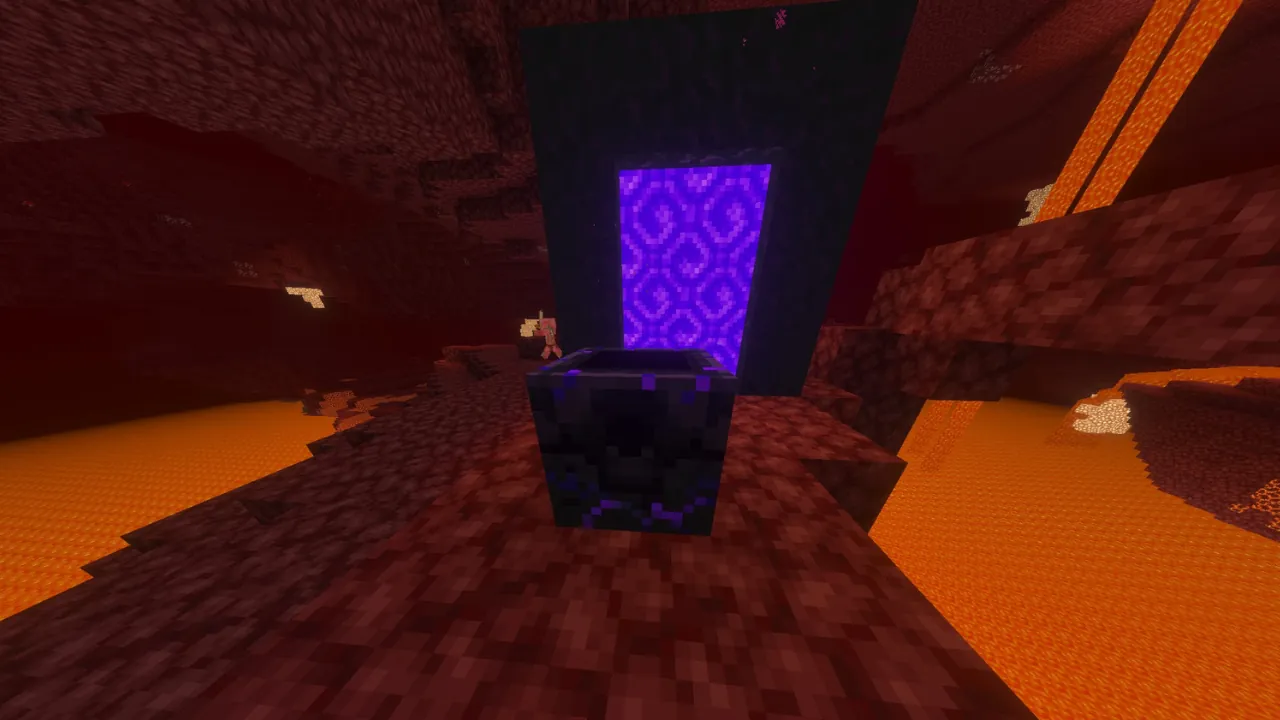
Dying in the Nether can be particularly frustrating, especially when you’re exploring far from your Nether Portal. One wrong step into lava or an unexpected encounter with hostile mobs can send you all the way back to the Overworld.
Fortunately, Minecraft has a solution: the Respawn Anchor, a block crafted with Crying Obsidian and Glowstone that allows you to set your respawn point directly inside the Nether.
To use a Respawn Anchor in Minecraft, place it in the Nether, charge it with at least one Glowstone block, and interact with it again to set your spawn point. The block can store up to four charges, and each successful respawn consumes one charge.
However, there’s an important catch. Respawn Anchors only function as normal spawn points in the Nether. Attempting to activate a charged anchor in the Overworld or the End causes an explosion instead.
In this guide, we’ll cover how to use a Respawn Anchor in Minecraft, including its crafting recipe, charging system, safe placement, and solutions to common problems in both Java and Bedrock Edition.
What Does a Respawn Anchor Do in Minecraft?
A Respawn Anchor allows you to set your respawn point in the Nether, providing an alternative to the beds normally used in the Overworld.
By default, Minecraft sends players back to their designated spawn point after death. If you’ve established a home in the Overworld, this usually means returning to your bed.
This becomes inconvenient when you’re exploring the Nether, where sleeping in a regular bed is impossible because attempting to use one causes an explosion.
The Respawn Anchor solves this problem by allowing you to establish a spawn point inside the Nether itself.
For example, imagine you’re exploring a Nether Fortress several hundred blocks away from your portal. If you die without a Respawn Anchor, recovering your items could involve traveling through the Overworld, entering the Nether again, and retracing your entire route.
With a properly activated Respawn Anchor near the fortress, you can respawn much closer to where you died.
There are a few important things to understand about how the block works:
- Nether respawning: A charged Respawn Anchor allows you to respawn in the Nether, even if you die in another dimension.
- Glowstone charges: Each Glowstone block adds one charge, up to a maximum of four.
- Charge consumption: Every successful respawn uses one charge.
- Reusable block: You can recharge the same anchor repeatedly instead of crafting a new one.
- Dimension restrictions: Using a charged anchor to set your spawn outside the Nether causes an explosion in normal gameplay.
Keep in mind that a Respawn Anchor only changes where you respawn. It does not prevent death or protect your dropped items.
How to Craft a Respawn Anchor in Minecraft
Before you can use a Respawn Anchor, you’ll need to craft one using a Crafting Table.
The recipe requires two materials:
- 6 Crying Obsidian
- 3 Glowstone blocks
Open your Crafting Table and arrange the materials in the following pattern:
| Crying Obsidian | Crying Obsidian | Crying Obsidian |
| Glowstone | Glowstone | Glowstone |
| Crying Obsidian | Crying Obsidian | Crying Obsidian |
Place three Crying Obsidian blocks in the top row, three Glowstone blocks in the middle row, and the remaining three Crying Obsidian blocks in the bottom row.
Once the materials are correctly arranged, you’ll receive one Respawn Anchor.
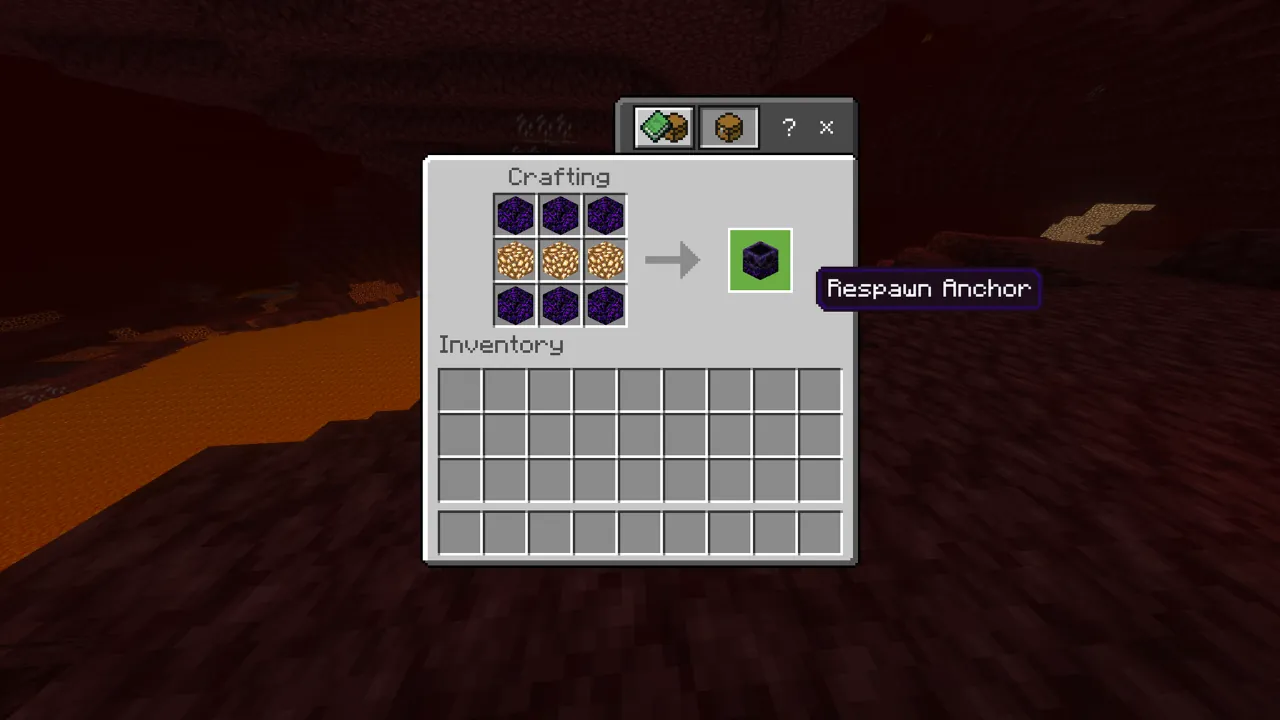
Important: The three Glowstone blocks used in the recipe do not charge the finished anchor. You’ll need additional Glowstone to activate it.
If you want to craft a Respawn Anchor and immediately charge it to its maximum capacity, you’ll need seven Glowstone blocks in total: three for crafting and four for charging.
Where to Get Crying Obsidian
Crying Obsidian is a variant of Obsidian distinguished by its glowing purple particles.
Unlike regular Obsidian, Crying Obsidian cannot be created simply by pouring water over lava.
Instead, you can obtain it through three main methods:
- Ruined Portals: Some ruined portal structures contain Crying Obsidian blocks that can be mined.
- Piglin bartering: Piglins have a chance to give you Crying Obsidian when you barter with Gold Ingots.
- Bastion Remnants: Certain loot chests inside Bastion Remnants can contain Crying Obsidian.
If you find Crying Obsidian as part of a ruined structure, you’ll need a Diamond or Netherite Pickaxe to collect it.
For a more detailed explanation of each method, including where to find the blocks and how Piglin bartering works, check out our guide on how to get Crying Obsidian in Minecraft.
Where to Get Glowstone
Glowstone is a naturally occurring light-emitting block found throughout the Nether.
It commonly generates in clusters attached to ceilings and overhangs, sometimes above large lava lakes.
Breaking Glowstone without Silk Touch drops Glowstone Dust rather than the block itself.
You can combine four Glowstone Dust in a 2×2 crafting pattern to create one Glowstone block. Alternatively, mining Glowstone with a Silk Touch tool allows you to collect the block directly.
For this guide, remember that Respawn Anchors require complete Glowstone blocks for both crafting and charging. Glowstone Dust cannot be used directly to charge them.
How to Use a Respawn Anchor in Minecraft
Once you’ve crafted your Respawn Anchor, activating it is straightforward. However, there’s an important difference between charging the block and actually setting your spawn point.
Follow the steps below to make sure everything works correctly.
Step 1: Place the Respawn Anchor in the Nether
First, enter the Nether through a Nether Portal.
Choose a relatively safe location where you want to respawn after dying. Ideally, this should be inside a protected base or outpost rather than an exposed section of the Nether.
Avoid placing the block directly beside lava, steep cliffs, or areas where hostile mobs can easily attack you.
Once you’ve selected a suitable location, place the Respawn Anchor on a solid surface.
At this point, the block will be inactive because it has no charges.
You can leave it in place permanently or move it later, although moving it will require recharging it and setting your spawn point again.
Step 2: Charge the Respawn Anchor With Glowstone
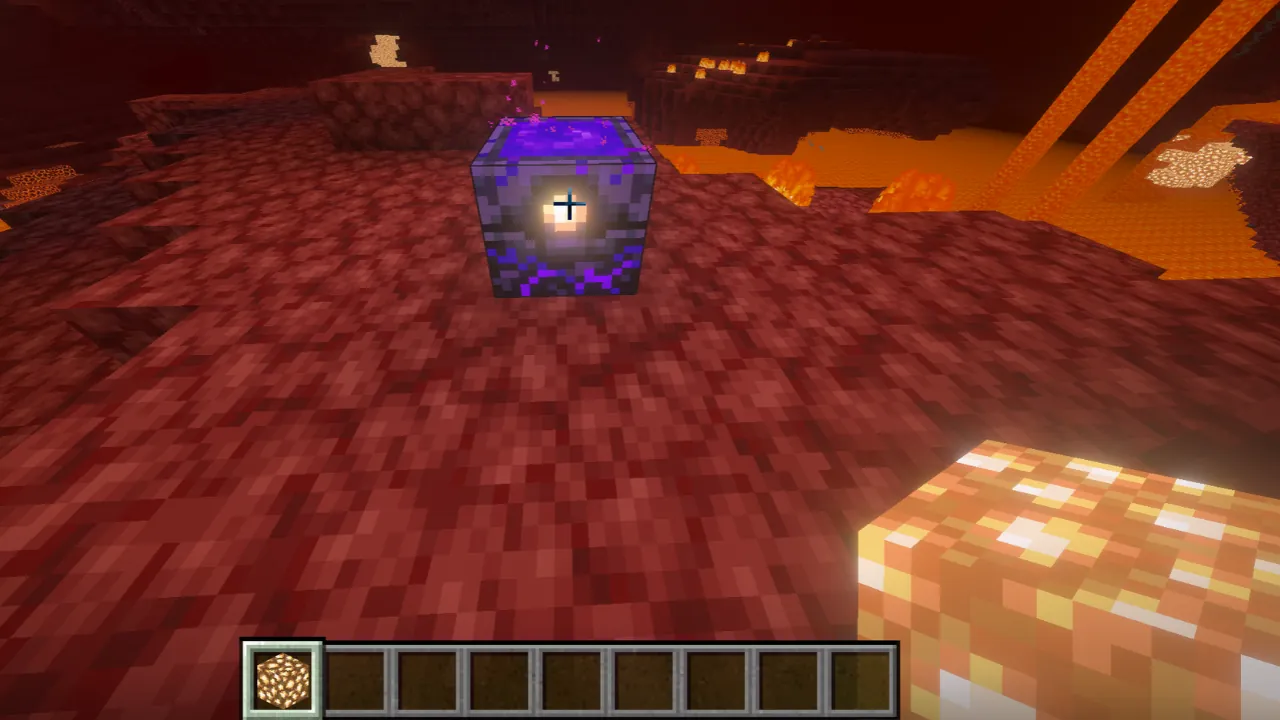
A newly placed Respawn Anchor starts with zero charges and cannot be used as a respawn point until it receives at least one.
To charge it:
- Place a Glowstone block in your hotbar.
- Select the Glowstone block so you’re holding it.
- Aim at the Respawn Anchor.
- Press your normal interaction button to add a charge.
- Repeat the interaction to add more charges, up to four.
On Minecraft Java Edition, the default interaction is right-click. On Bedrock Edition, use the corresponding interaction control for your device.
Each Glowstone block adds one charge to the anchor.
As you charge it, the center of the block becomes brighter, and the circular indicators on its sides change to show the number of charges stored.
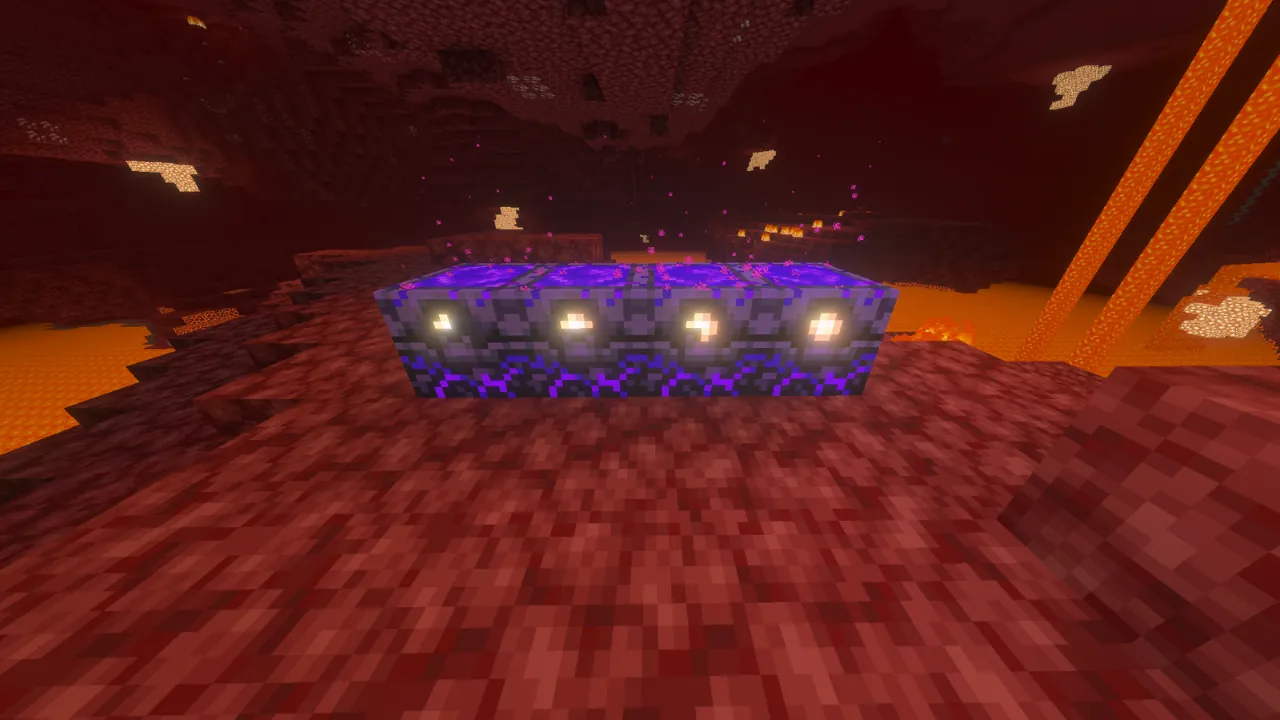
A Respawn Anchor can hold a maximum of four charges. Attempting to charge it beyond this limit will not increase its capacity.
You can also recharge an anchor whenever its charge level drops, provided you have additional Glowstone blocks available.
Step 3: Set Your Respawn Point
This is the most important step, and it’s easy to overlook.
Charging a Respawn Anchor does not automatically set your spawn point.
After adding at least one charge, switch away from the Glowstone. Using an empty hand is the simplest approach.
Then interact with the charged Respawn Anchor again.
If everything is working correctly, Minecraft will display a confirmation message indicating that your respawn point has been set.
Once this happens, the Respawn Anchor becomes your active spawn location.
This overrides your previously established spawn point, including one set using a bed in the Overworld.
The reverse is also true: if you later use a bed to set your spawn again, that bed will replace the Respawn Anchor as your active respawn location.
For this reason, it’s worth checking your spawn point before embarking on a dangerous Nether expedition.
Step 4: Respawn at the Anchor After Dying
With your respawn point established, the Respawn Anchor is ready to use.
If you die while the anchor is still charged and has suitable space nearby, Minecraft will respawn you next to it instead of returning you to the Overworld.
Each successful respawn consumes one charge.
For example, suppose you fully charge your Respawn Anchor with four Glowstone blocks.
After your first respawn, the anchor will have three charges remaining. After the second, it will have two. After the fourth successful respawn, it will be completely depleted.
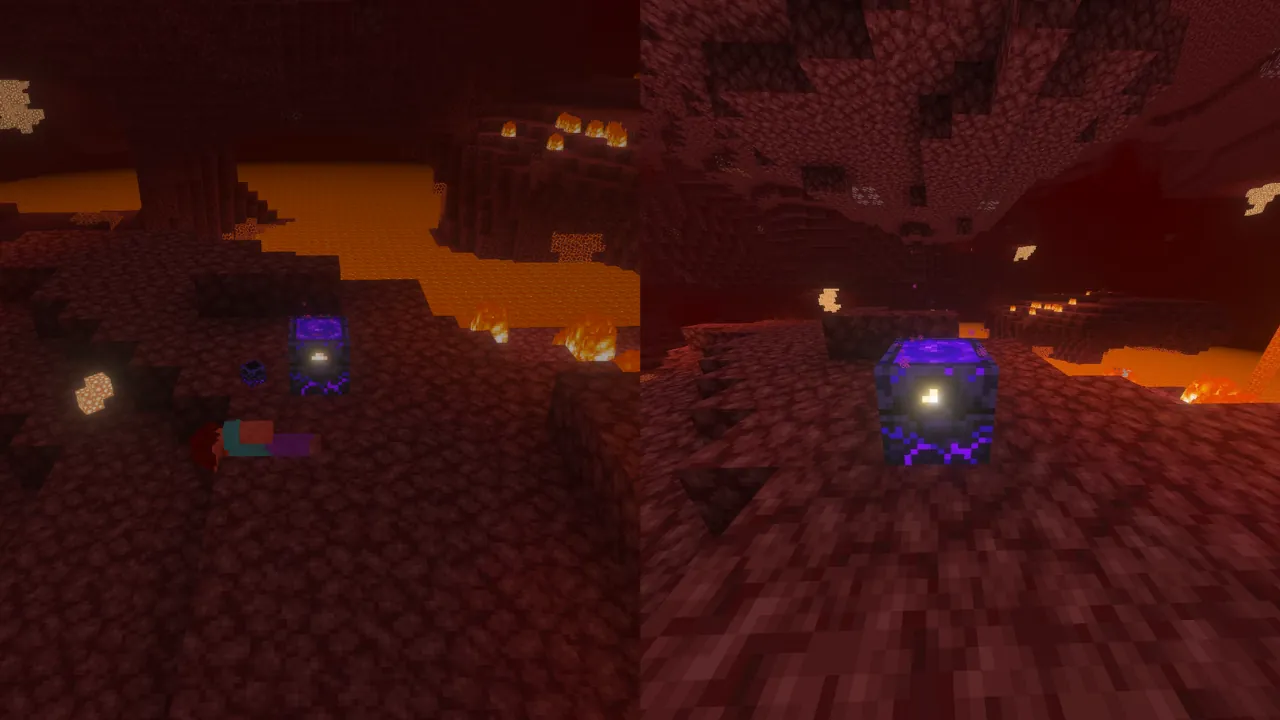
The block itself remains intact, but it can no longer respawn you until you add more Glowstone.
A useful habit is to recharge your Respawn Anchor immediately after respawning, especially if you’re preparing to return to a dangerous area.
You should also consider storing backup equipment near the anchor. Respawning close to your death location is helpful, but you’ll still need to recover any items you dropped.
How Many Times Can You Use a Respawn Anchor?
A Respawn Anchor can store up to four charges at once, with each charge allowing one successful respawn.
| Stored Charges | Available Respawns |
|---|---|
| 0 | None |
| 1 | 1 |
| 2 | 2 |
| 3 | 3 |
| 4 | 4 |
However, this doesn’t mean the block can only be used four times overall.
You can recharge it repeatedly using additional Glowstone, making it a permanent solution for respawning in the Nether.
For players maintaining a long-term Nether base, this makes a Respawn Anchor particularly valuable.
It’s also worth noting that interacting with the anchor to set your spawn point does not consume a charge. Charges are consumed when the player actually respawns there.
If you use the same Respawn Anchor with other players, remember that its stored charges are shared.
For example, if two players set their spawn points at the same fully charged anchor, both will draw from the same four available charges when they respawn.
Why Does a Respawn Anchor Explode in the Overworld?
Respawn Anchors are specifically designed for the Nether.
Although you can place a Respawn Anchor in the Overworld or the End, you cannot normally use it to establish a spawn point in either dimension.
If you attempt to activate a charged Respawn Anchor in one of these dimensions, the block explodes instead of setting your spawn point.
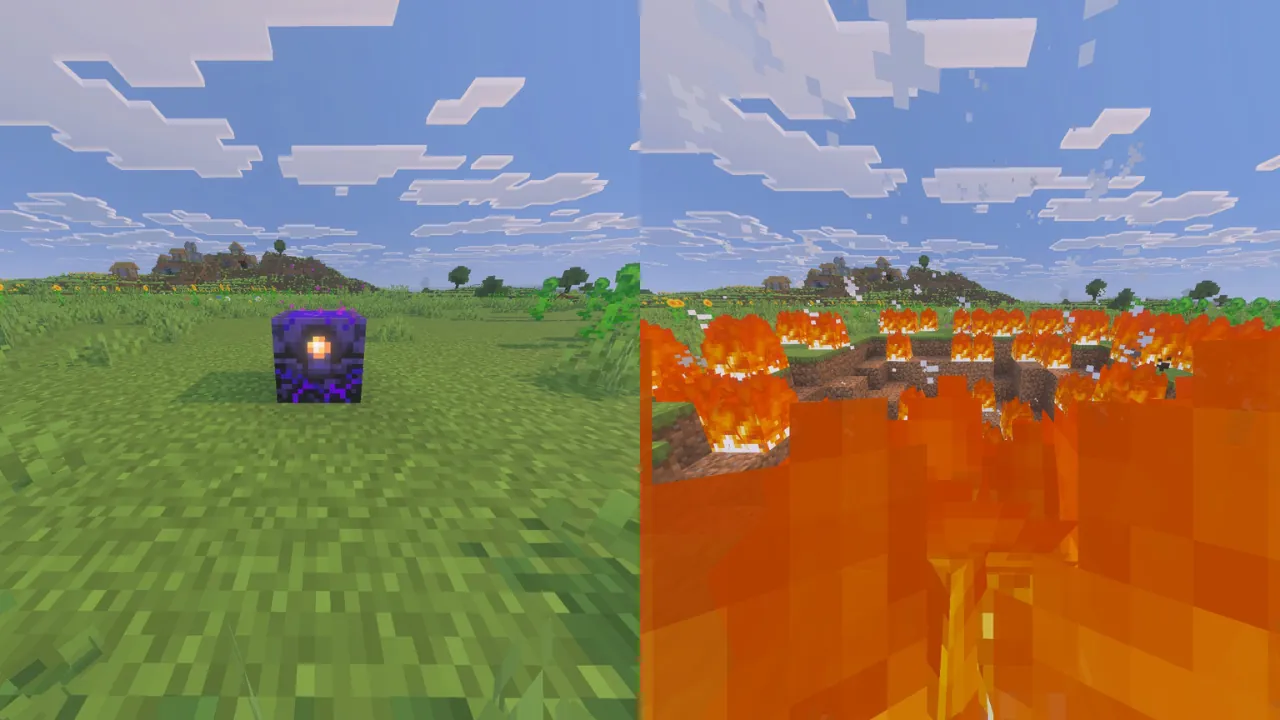
This explosion is powerful enough to destroy nearby blocks, start fires, and potentially kill players standing too close.
In fact, a Respawn Anchor explosion has a power of 5, compared to the explosion power of 4 for TNT.
The important distinction is that simply placing a Respawn Anchor outside the Nether does not automatically trigger an explosion.
You can also add Glowstone charges without immediately detonating it. The explosion occurs when you attempt to use a charged anchor to set your spawn point in a dimension where that function is disabled.
For normal Survival gameplay, the rules are straightforward:
| Dimension | Can Set Spawn With Respawn Anchor? |
|---|---|
| Overworld | No — explodes when activated |
| Nether | Yes |
| End | No — explodes when activated |
Regular beds are the appropriate way to establish a spawn point in the Overworld, while Respawn Anchors fulfill that role in the Nether.
If you want to experiment with the explosion mechanic, use a separate test world rather than trying it near your main base.
Respawn Anchor Not Working? Common Problems and Fixes
If your Respawn Anchor isn’t functioning properly, the issue usually involves missing charges, an incorrectly established spawn point, or insufficient space around the block.
Here are the most common problems and how to fix them.
The Respawn Anchor Has No Charges
An uncharged Respawn Anchor cannot function as an active respawn point.
If you’ve placed the block but haven’t added any Glowstone, it will remain inactive.
Solution: Hold a Glowstone block and interact with the anchor to add at least one charge. Then interact with it again to establish your spawn point.
You Charged the Anchor but Didn’t Set Your Spawn
Adding Glowstone charges the Respawn Anchor, but it does not automatically change where your character will respawn.
If you only charged the block and then left, you may still have your previous spawn point selected.
Solution: Return to the charged anchor, switch away from Glowstone, and interact with it again. Look for the confirmation that your respawn point has been set.
The Respawn Anchor Ran Out of Charges
Every time you successfully respawn at the anchor, one charge is removed.
If the block runs out of charges before your next death, Minecraft cannot use it as your respawn location.
Instead, you’ll be returned to the world spawn point.
Solution: Keep additional Glowstone blocks nearby and recharge the anchor regularly. If necessary, interact with it again to confirm your spawn point after recharging.
The Area Around the Respawn Anchor Is Blocked
Minecraft needs a valid location near the Respawn Anchor to place your character after death.
If the surrounding space is obstructed, the game may be unable to find a suitable position.
This can happen when an anchor is enclosed too tightly or placed inside a structure without enough usable space for the player.
Solution: Remove nearby obstructions and leave clear standing room around the anchor.
A protected room with open floor space is generally more reliable than a cramped enclosure.
You Broke or Moved the Respawn Anchor
Breaking a Respawn Anchor removes its stored charges.
Even if you successfully collect the block and place it somewhere else, it will not retain its previous charging state.
Additionally, moving an anchor does not automatically transfer your saved spawn point to the new location.
Solution: After relocating the block, recharge it with Glowstone and interact with it again to set your new spawn point.
To collect a Respawn Anchor without losing the block itself, use a Diamond or Netherite Pickaxe.
You Used a Bed After Activating the Anchor
A Respawn Anchor does not function as a secondary or backup spawn point.
Minecraft uses your most recently established personal spawn location.
If you activate a bed after setting your spawn at a Respawn Anchor, the bed becomes your new spawn point.
Solution: Return to the Nether and interact with the charged Respawn Anchor again to restore it as your active spawn location.
The Respawn Anchor Exploded Instead of Working
If the anchor exploded when you tried to activate it, you were likely attempting to use it outside the Nether.
Solution: Place and activate your Respawn Anchor inside the Nether for normal respawning.
Where Is the Best Place to Put a Respawn Anchor?
A Respawn Anchor is most useful when placed inside a secure Nether base or a protected outpost near an area you frequently explore.
While it’s possible to place one almost anywhere in the Nether, choosing a poor location can create unnecessary problems after death.
For a practical respawn setup, consider the following:
- Build a protected room: Use solid blocks to shield your respawn area from hostile mobs and other environmental hazards.
- Leave enough space: Make sure Minecraft has accessible floor space around the anchor for your character to respawn.
- Avoid dangerous terrain: Keep the anchor away from lava, narrow bridges, and exposed cliffs.
- Store spare Glowstone: A nearby chest containing replacement Glowstone allows you to recharge the block immediately.
- Keep backup equipment: Spare armor, weapons, tools, and food can make recovering your items much easier.
- Plan an escape route: Consider building the outpost near a Nether Portal or a safe route toward your destination.
One useful approach is to create small respawn outposts near important locations, such as Nether Fortresses or established transportation routes.
You can then activate the Respawn Anchor at whichever outpost is most convenient for your current expedition.
Just remember that only your most recently activated spawn point is used. Placing multiple Respawn Anchors does not automatically create a network of backup respawn locations.
Does the Respawn Anchor Work in Java and Bedrock Edition?
Yes. Respawn Anchors are available in both Minecraft Java Edition and Minecraft Bedrock Edition.
The core mechanics are the same in both versions.
You craft the block using six Crying Obsidian and three Glowstone, charge it with additional Glowstone blocks, and interact with it inside the Nether to set your spawn point.
Both editions support a maximum of four charges, and each successful respawn consumes one charge.
The main practical difference for most players is the control scheme used to interact with the block.
Java Edition typically uses right-click, while Bedrock Edition uses the interaction controls appropriate to your device, whether you’re playing on PC, console, or mobile.
For more advanced setups, both editions also allow a dispenser containing Glowstone to charge a Respawn Anchor, making automated recharging mechanisms possible.
FAQ (Frequently Asked Questions)
Can You Use a Respawn Anchor in the Overworld?
You can place and charge a Respawn Anchor in the Overworld, but it cannot normally be used to set your spawn point there. Activating a charged anchor causes an explosion instead.
Can You Use a Respawn Anchor in the End?
No. In normal Minecraft gameplay, Respawn Anchors cannot establish spawn points in the End. Trying to activate a charged anchor there causes an explosion.
Can You Charge a Respawn Anchor With Glowstone Dust?
No. You must use complete Glowstone blocks. Four Glowstone Dust can be combined to craft a single Glowstone block.
Do Respawn Anchors Work if You Die in the Overworld?
Yes. If your active spawn point is a charged Respawn Anchor in the Nether, you can respawn there after dying in the Overworld, provided the anchor remains charged and unobstructed.
Can Multiple Players Use the Same Respawn Anchor?
Yes. Multiple players can set their spawn points at the same Respawn Anchor, but they share its stored charges. Every successful respawn consumes one charge from the block.
Do You Lose Your Items When Using a Respawn Anchor?
Yes, under normal Survival rules. A Respawn Anchor changes your respawn location but does not provide the Keep Inventory effect. Your items are still dropped when you die unless the relevant game rules or other mechanics prevent it.
Can You Move a Respawn Anchor Without Losing Its Charges?
No. Breaking the block resets its stored charges. After moving it, you’ll need to recharge it and set your spawn point again.
Can a Respawn Anchor Be Charged Automatically?
Yes. A dispenser containing Glowstone blocks can charge a Respawn Anchor, allowing players to build automatic recharging systems using Redstone.
Final Thoughts
Learning how to use a Respawn Anchor in Minecraft is an important step toward making Nether exploration more convenient.
With six Crying Obsidian and three Glowstone blocks, you can craft a Respawn Anchor and establish a reliable respawn location inside the Nether.
The most important thing to remember is that charging the block and setting your spawn point are two separate actions. After adding Glowstone, you must interact with the charged anchor again to make it your active respawn location.
Keep additional Glowstone nearby, check that the surrounding area is safe, and recharge the anchor before it runs out of charges.
And, of course, avoid activating a charged Respawn Anchor in the Overworld or the End unless you deliberately want an explosion.
With a protected Nether outpost and a properly maintained Respawn Anch