



Table of Contents
Found an amazing game on Roblox and want to save it to play again later? One of the easiest ways to do that is by adding the game to your favorites.
This allows you to easily find it on your profile without having to search for it again. Below, you’ll learn how to favorite a game on Roblox, whether you’re using the website, the desktop app, or the mobile app.
How to Favorite a Game on Roblox (PC)
If you’re using the official Roblox app for Windows or Mac, follow these steps:
Open the Roblox app on your PC:
Launch the Roblox Desktop App and log in to your account.
Find the game you want to favorite:
Use the search bar or browse through the recommendations on the home screen.
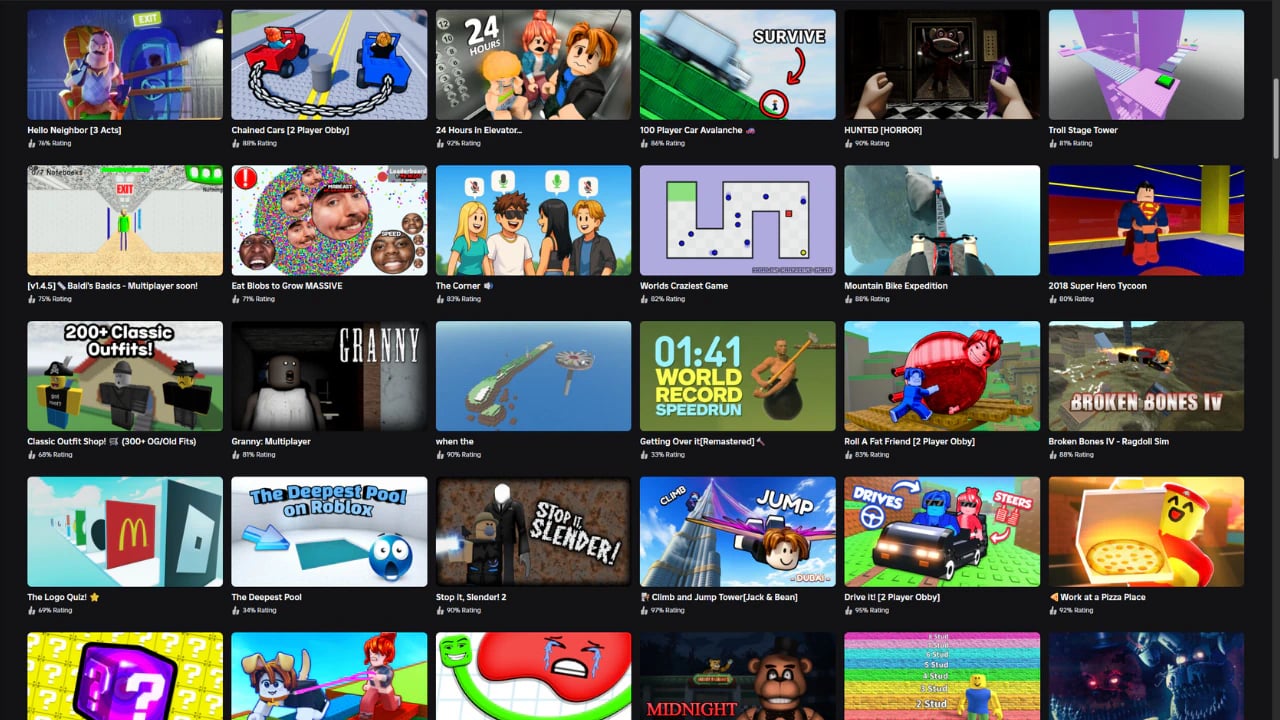
Open the game’s page:
Click on the game’s name or image to open its details page.
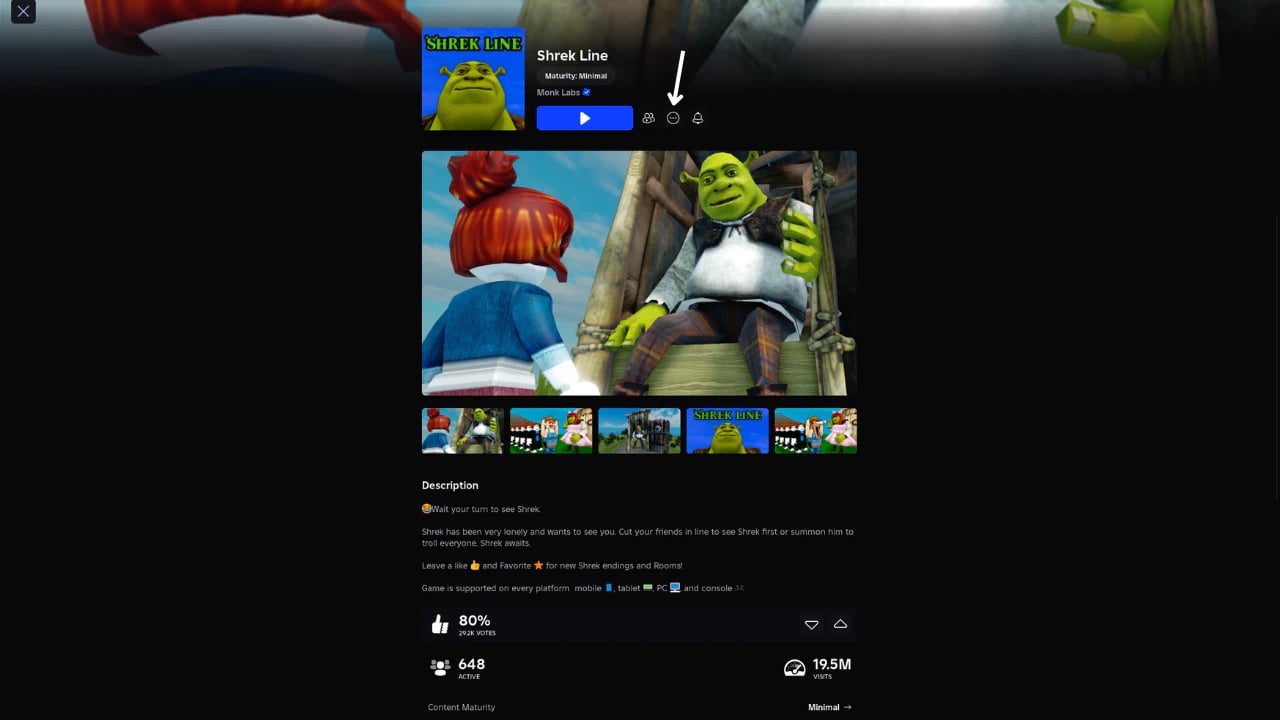
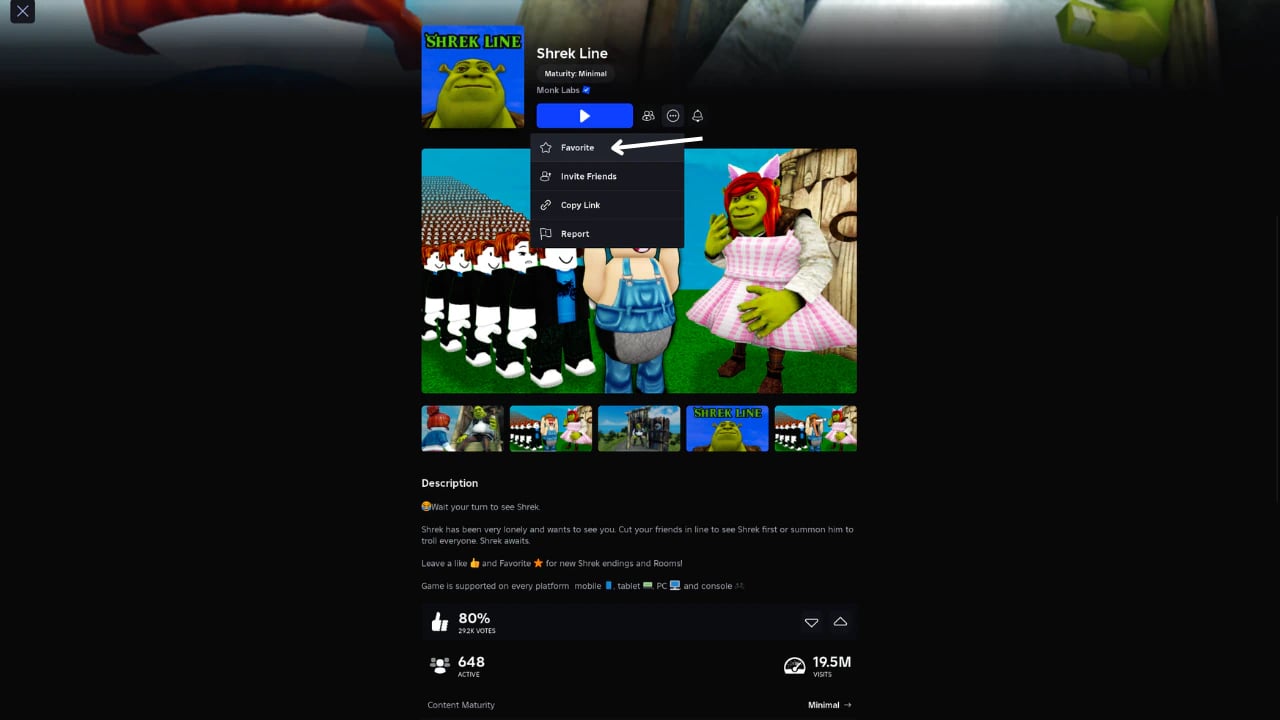
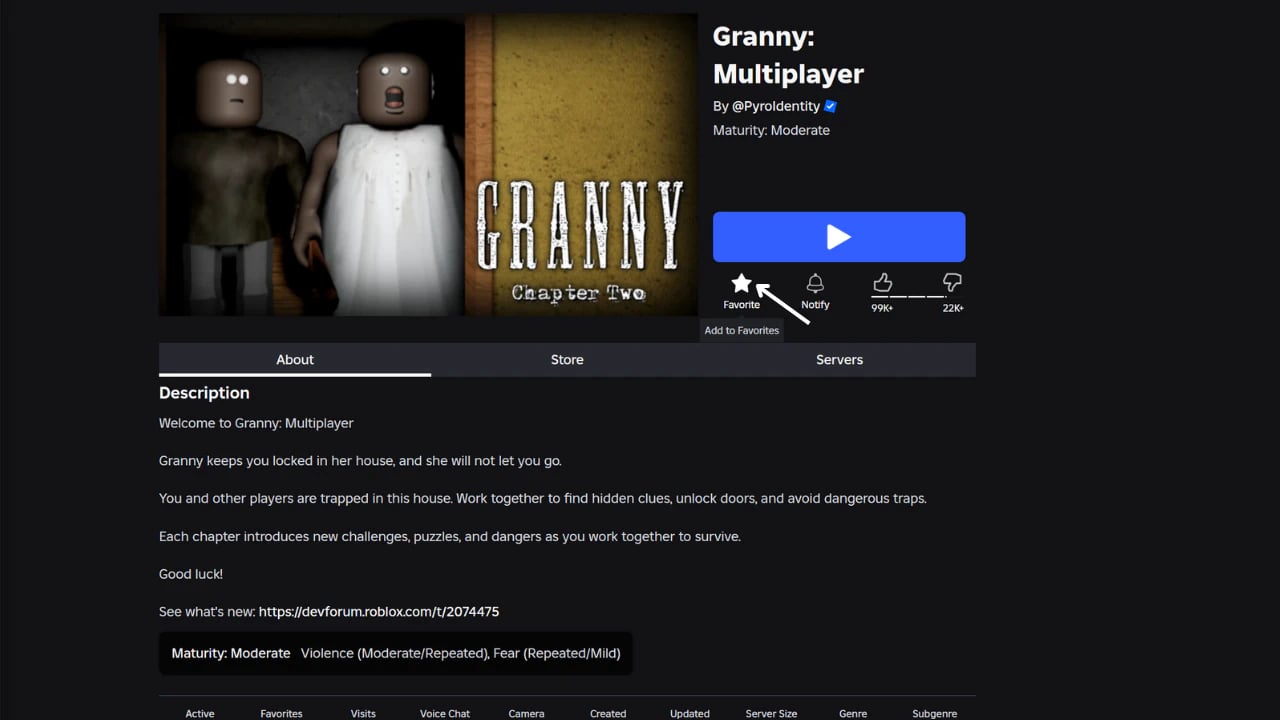
Click the favorites star:
On the game’s details screen, you’ll see a star icon (favorite icon) near the title. Click on it.
How to Favorite a Game on Roblox via the Website (Web Browser)
If you access Roblox through a browser (Google Chrome, Firefox, Edge, Safari, etc.), whether on PC or mobile, here’s how to do it:
Go to the official website:
Visit Roblox and log in.
Find the desired game:
Use the search bar or explore the game categories.
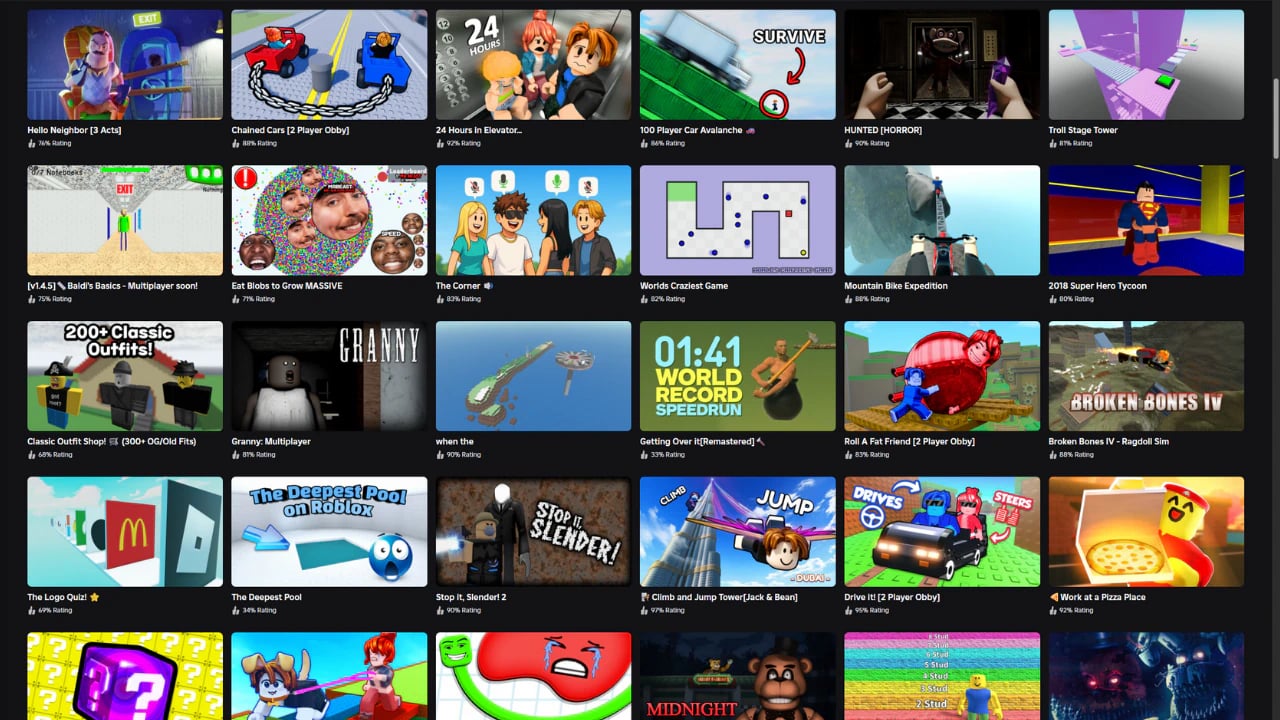
Open the game’s page:
Click on the game’s title or image to open the details.
Click the favorites star:
At the top of the page, near the game’s name, click the star icon labeled “Favorite”.
How to Favorite a Game on Roblox Using the Mobile App (Android and iOS)
If you play Roblox on the mobile app (Android or iPhone), follow these steps:
Open the Roblox app:
Log in to your account.
Search for the game you want to favorite:
Use the search feature or browse through the home categories.
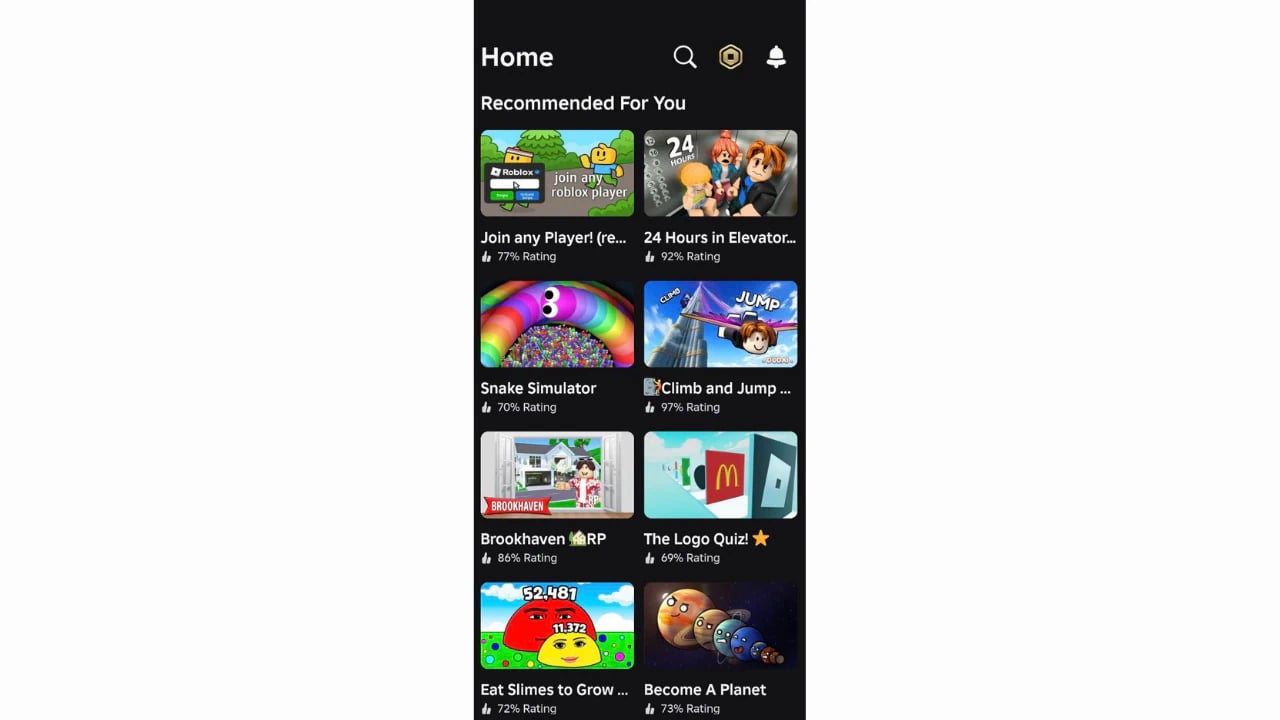
Open the game’s details page:
Tap on the game’s name or image.
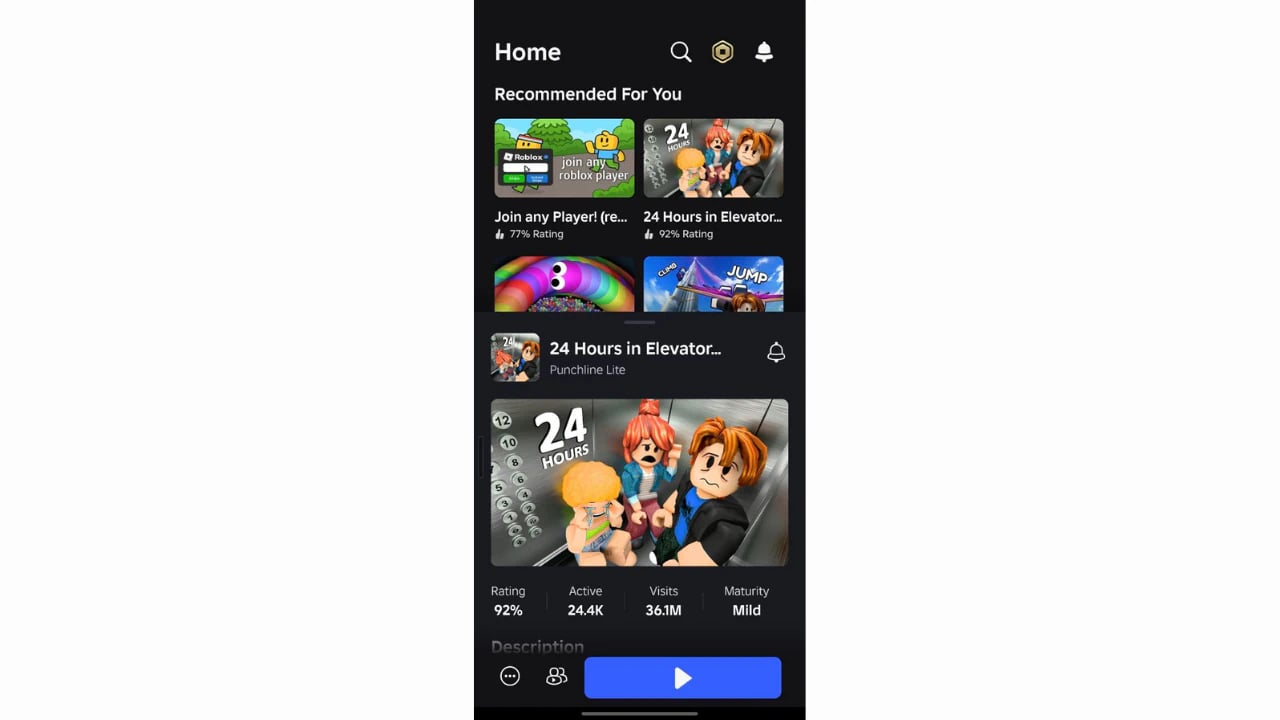
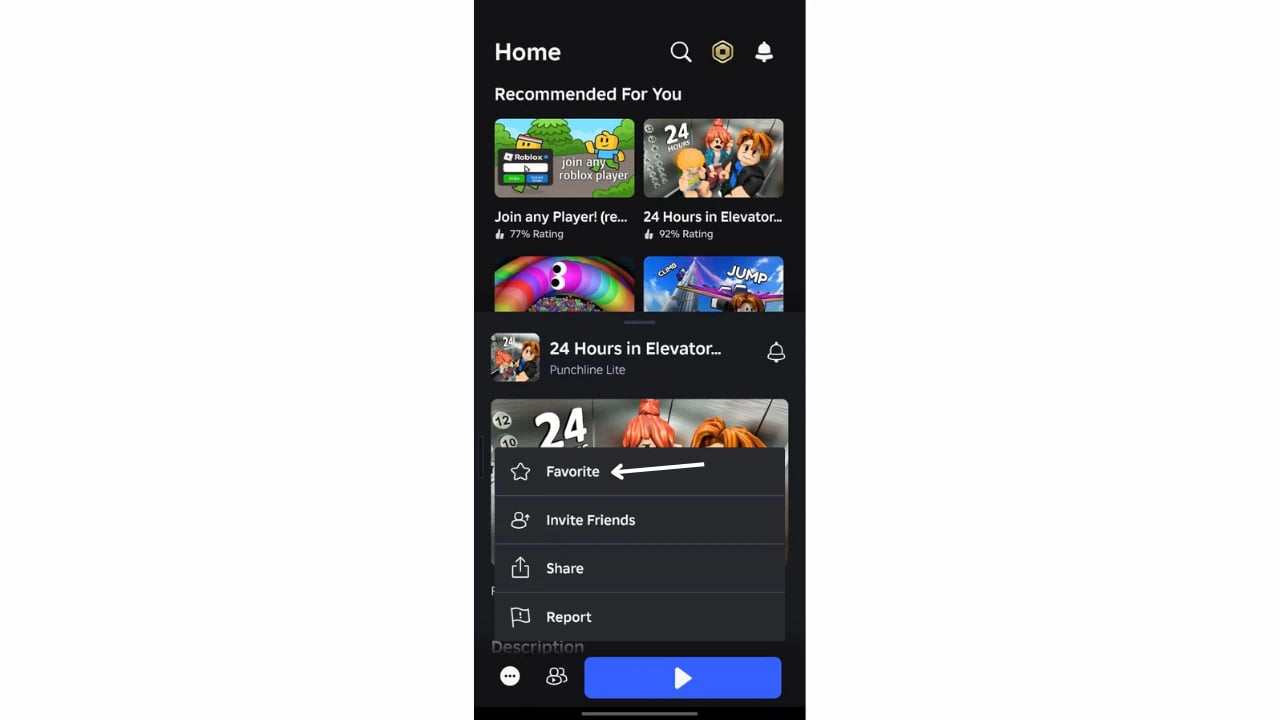
Tap the favorites star:
You’ll see a star icon near the game’s name or at the top of the screen. Tap it.
How to View My Favorite Games on Roblox
After favoriting, you can view your favorite games like this:
In the PC App:
Open your profile by clicking the three dots on the left side of the screen.
Go to Profile → View Full Profile
Click the three dots again, and select Favorites.
On the Website (PC or Mobile Browser):
Go to your profile, click the three dots, and go to the Favorites section.
In the Mobile App:
Tap your avatar, open your full profile, and look for the Favorites section.
How to Remove a Game from Favorites
Changed your mind? No problem!
Just open the game’s page again and click (or tap) the star icon to unfavorite it.
